BNB Chain is one of the most common homes for USDT. If your stablecoins sit there as BEP-20 USDT, you can pay OpenRouter with them directly instead of bridging to another network first.
ROZO Checkout prices your OpenRouter order in USDC and lets you pay from your BNB Chain wallet. You connect your wallet, pick USDT on BNB Chain, and approve the transaction. Settlement to USDC is handled for you, and ROZO currently charges no service fee while we validate the flow.
This guide covers the exact steps, which EVM wallets work, what the BNB gas requirement really means, how long credits take, and what to do if something looks stuck. OpenRouter is sometimes typed as Openrounter, Open Router, OpenRoute, or Openrooter. However you spell it, the same route applies.

Does OpenRouter accept USDT on BNB Chain directly?
Not as a BNB Chain payment. OpenRouter's balance is denominated in USDC and its own crypto payment path charges 5%. BEP-20 USDT is neither the right token nor on the right rail for that path, so a BNB Chain holder is asked to solve two problems before even reaching the fee.
The conventional route looks like this. Send your BEP-20 USDT to an exchange, swap it for USDC, withdraw that USDC onto a chain the payment path accepts, pay the withdrawal fee, wait for it to land, then top up and absorb the 5%. That is an exchange account, a swap, a network selection, a withdrawal fee, and a wait, all before the toll.
Every one of those steps is also a place to make an expensive mistake. Selecting the wrong network on an exchange withdrawal is the single most common way people lose stablecoins, and it happens most often exactly in this situation, when someone is moving USDT between chains under mild time pressure.
ROZO Checkout collapses the whole sequence into one in-wallet approval. You connect a BNB Chain wallet, pick USDT on BNB Chain, and approve. The settlement to the USDC OpenRouter expects happens on ROZO's side. ROZO is independent and is not affiliated with OpenRouter, Coinbase, or Boltz.
What it costs
OpenRouter's own crypto payment path charges 5%.
ROZO currently charges no service fee while we validate the flow.
That is the comparison in full. On BNB Chain the only other cost is gas, which is a small amount of BNB paid to the network rather than to ROZO. There is no swap fee in this route, because you are not swapping. There is no bridge fee, because you are not bridging. Your USDT is paid straight out of the BEP-20 balance you already hold.
Both sides of this comparison are stablecoins, which makes the arithmetic unusually clean. On a $500 top-up, the difference between a 5% path and a no-service-fee path is $25 of API credits that either exist or do not. No exchange rate, spread, or slippage enters the picture, because the USDT you send and the USDC OpenRouter bills in are the same dollar.
BNB Chain is popular partly because its gas is cheap, and that holds here. The BNB you spend on the transfer is a small amount, and it is the only cost you pay to anyone other than the order itself.
Because the order is priced in USDC, the USD value of what you owe is fixed at the moment the order is created. Paying in USDT credits the same amount.
Pay OpenRouter with USDT on BNB Chain
- Paste your OpenRouter payment link or payment ID into ROZO Checkout.
- Connect a BNB Chain wallet such as MetaMask, Rabby, or Trust Wallet.
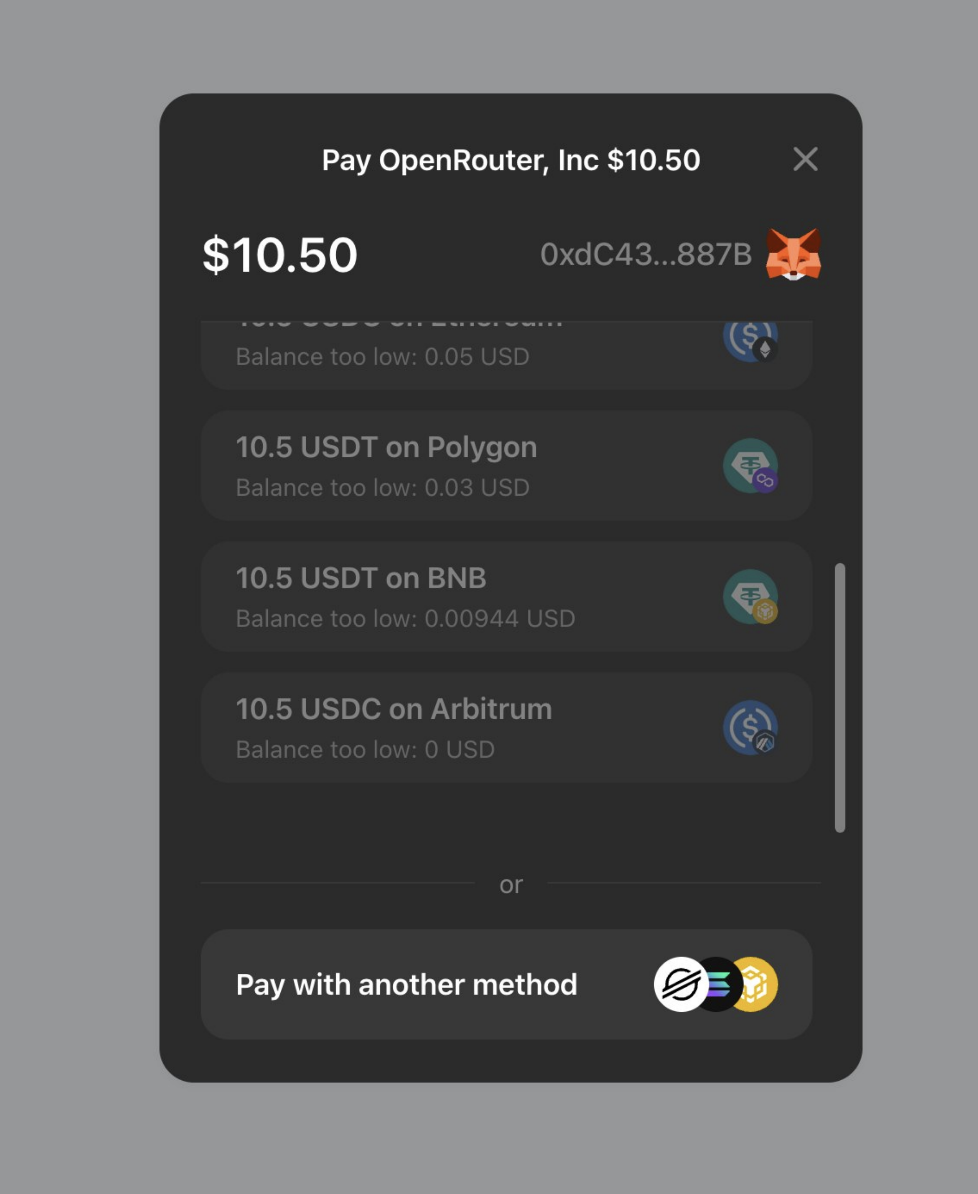
- Choose USDT on BNB Chain. A balance check confirms you hold enough. If you want a different chain or token, tap Pay with another method.
- Approve the transaction in your wallet. Credits are added automatically once it confirms.
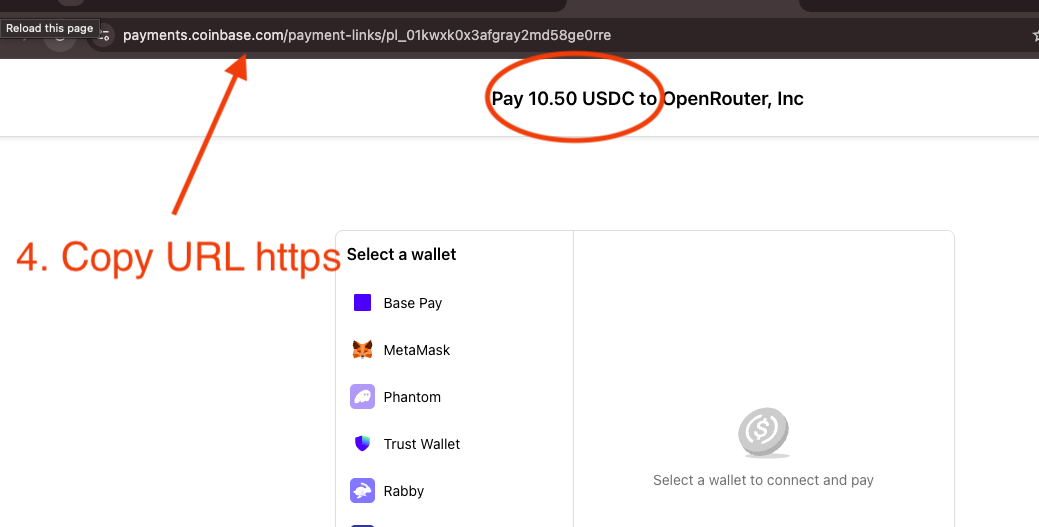
Step 1 is the one people ask about most. The payment link is generated on OpenRouter's side when you start a top-up, and it looks like a short identifier such as pl_01kyaaevc7evgt9. Paste either the full URL or just the identifier.
Step 3 is where problems get caught before they cost anything. The live balance check reads your actual BEP-20 USDT balance, so if you are short you find out before signing rather than after a failed transaction. Pay with another method is right there if you would rather pay from a different chain entirely.
Step 4 happens inside your own wallet. MetaMask, Rabby, and Trust Wallet will each show you the transaction they are being asked to sign, including the token and the amount, so you can confirm it matches the order before approving. Nothing is deducted until you press confirm.


About USDT on BNB Chain
USDT on BNB Chain is the BEP-20 version of Tether. It is widely held because BNB Chain fees are low and most major exchanges let you withdraw USDT to it. Keep a little BNB in your wallet for the gas fee. Because you pay from your connected wallet, there is no address to copy and no wrong-network risk within the checkout.
That last sentence is the one worth dwelling on. USDT exists as a separate token contract on many different networks, and those versions are not interchangeable by sending. BEP-20 USDT sent to a wallet expecting a different network's USDT is the classic way to lose funds. Because this route is wallet-connect rather than send-to-address, that failure mode does not exist inside the checkout. You connected a BNB Chain wallet, so the transaction the checkout constructs is a BNB Chain transaction against the BEP-20 contract.
What you do still need to confirm is that your USDT is actually on BNB Chain before you start. If you are looking at a balance in an exchange account and planning to withdraw it first, that is the moment to select BNB Chain as the withdrawal network. Once it is in your wallet on BNB Chain, the rest of the flow takes care of itself.
If your USDT turns out to be on Solana instead, that route is supported too and works the same wallet-connect way.
Which wallets work on BNB Chain
Common EVM wallets work: MetaMask, Rabby, and Trust Wallet. You connect the wallet and approve the payment inside it, so your keys never leave the wallet and there is nothing to copy and paste.
MetaMask is the most widely installed option and works as both a browser extension and a mobile app, so the same wallet covers a desktop checkout and a phone checkout. Rabby is a frequent pick for people who work across several EVM chains, because it surfaces the chain and the transaction details clearly before you sign. Trust Wallet is a common mobile-first choice and connects the same way.
Whatever you use, make sure the wallet is on the BNB Chain network when you connect. Most wallets will prompt you to switch networks if you are on the wrong one, and switching is a one-tap confirmation rather than anything manual.
The requirement that catches people out is BNB. A wallet holding $1,000 of BEP-20 USDT and zero BNB cannot pay, because it cannot cover gas. The amount needed is small, but it cannot be zero. If you are moving USDT onto BNB Chain from an exchange for the first time, withdraw a little BNB alongside it.
There is no ROZO-specific wallet to install, and no browser extension beyond the one you already use.
How long it takes
Credits are added automatically once the transaction confirms. On BNB Chain that is typically quick, though the exact time depends on network conditions at the moment you pay.
For comparison across the other routes ROZO Checkout offers: USDC on Stellar confirms in a few seconds and is the fastest, USDC or USDT on Solana usually credits within about 30 seconds once the payment confirms on-chain, and Bitcoin over Lightning usually credits in about 3 minutes.
BNB Chain sits comfortably in that company for ordinary top-ups. The variable is congestion and the gas price your wallet selected. If your wallet let you choose a fee level and you picked the slowest option, expect the confirmation to take correspondingly longer. For a payment you are waiting on, the default or standard setting is the right choice.
You do not need to keep the checkout tab in focus or click anything to finalize. Once the BEP-20 transfer confirms on-chain, the credit is applied automatically.
If your wallet is showing the transaction as pending for an unusually long time, that is a gas price question rather than a payment failure. Most EVM wallets offer a speed-up option that rebroadcasts the same transaction with a higher fee.
If credits do not arrive
Start by opening your wallet's activity list and finding the transfer. This one check resolves most cases.
If the transaction is not there at all, the approval never completed. The usual causes are a wallet popup that was dismissed, a connection that dropped, or a BNB balance too low to cover gas. In all of those cases nothing was sent and nothing was lost, so top up a little BNB if needed and try again.
If the transaction is there but still pending, it has not failed, it is waiting to be included. Give it time, or use your wallet's speed-up option to rebroadcast at a higher gas price.
If the transaction is there and confirmed, copy the transaction hash. MetaMask, Rabby, and Trust Wallet all let you copy it in one tap from the activity entry, and it is the definitive record of what was sent, in which token, and to where.
Contact support with the transaction hash and your OpenRouter payment link or payment ID. Those two together identify both sides of the payment and are enough to trace and reconcile it. Do not send a second payment while waiting on the first, because a confirmed BNB Chain transfer cannot be reversed and you would simply have paid twice.
One mismatch worth ruling out first: confirm you paid from BNB Chain rather than sending USDT from a different network to an address you found elsewhere. Inside the checkout that is not possible, but it is possible if you left the flow partway through.
Is it safe, and who is ROZO?
BNB Chain is a wallet-connect route, which is the safest shape a crypto payment can take. Your keys never leave your wallet. The checkout constructs a transaction and asks your wallet to sign it, and your wallet shows you the token and the amount before you approve. Nothing moves without you pressing confirm inside MetaMask, Rabby, or Trust Wallet.
This also eliminates the failure mode that costs people the most money in crypto payments: sending to a wrong address or on a wrong network. There is no address to paste, because the transfer is constructed for you. There is no network to pick in your wallet at send time, because you connected a BNB Chain wallet and the payment is a BNB Chain transaction.
ROZO Checkout does not hold a balance for you and there is no account to create. It is a payment surface that takes your OpenRouter payment link, accepts BEP-20 USDT, and settles the result to the USDC that OpenRouter credits.
On pricing the position is deliberately simple while the product is young. OpenRouter's own crypto payment path charges 5%. ROZO currently charges no service fee while we validate the flow. If that changes it will be stated plainly rather than buried.
ROZO is independent and is not affiliated with OpenRouter, Coinbase, or Boltz. If BNB Chain is not where your money lives, the other routes reach the same destination. USDC or USDT on Solana credits in about 30 seconds. USDC on Stellar confirms in a few seconds for a tiny fraction of a cent. Bitcoin over Lightning credits in about 3 minutes.