
Paste your OpenRouter payment link into ROZO Checkout, pick the coin you hold, and confirm in your own wallet. It settles to USDC for you. No account, no exchange, no bridge.
OpenRouter is sometimes typed as Openrounter, Open Router, OpenRoute, Openroutor, or Openrooter. Same methods either way.

Pay in 4 steps
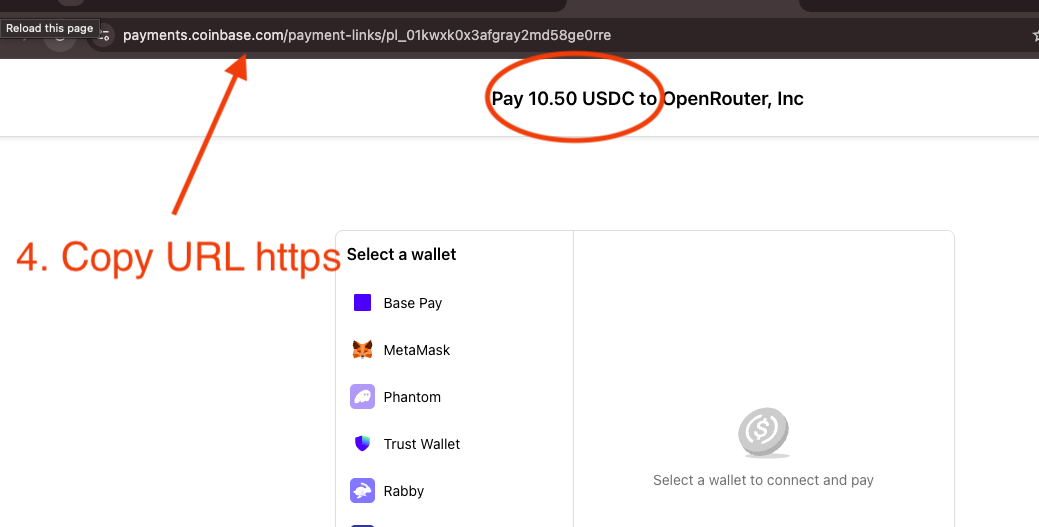
- Copy your OpenRouter payment link or payment ID: it looks like pl_01kyaaevc7evgt9.
- Paste it into checkout.rozo.ai.
- Pick the chain or token you want to pay with.
- Confirm in your wallet. Credits are added automatically.
The order is always priced in USDC, so the USD value is fixed no matter which coin you pay with, and the settlement to USDC happens for you.
There is no ROZO account to create, no email to verify, and no KYC form. The checkout is a payment surface, not a custodial platform: it never holds a balance for you, so there is no stored balance to freeze or queue for refund.
Pick the route you already hold
Bitcoin (Lightning): pay a QR invoice from any Lightning wallet (Wallet of Satoshi, Phoenix, Muun, Breez, or your own node). Credits in about 2 minutes. Lightning only, not on-chain, and the invoice expires in about 60 minutes.
USDC or USDT on Solana: connect Phantom, Solflare, or Backpack and approve in-wallet. About 30 seconds. Keep a little SOL for the network fee.
USDC on Stellar: pay from your existing Stellar account. Confirms in a few seconds with fees a tiny fraction of a cent: the fastest and cheapest route here. Also reachable at checkout.rozo.ai/stellar.
USDT on BNB Chain: connect MetaMask, Rabby, or Trust Wallet and pay from your BEP-20 balance. Keep a little BNB for gas.
USDC on Base, or USDC and USDT on Ethereum, Polygon (the token now called POL, formerly MATIC) or Arbitrum: send from any wallet or straight from an exchange withdrawal. Ethereum mainnet works but its gas is disproportionate on a $10 to $20 top-up, so it suits larger amounts; that cost goes to the network, not to ROZO.
Native coins work too: ETH on Ethereum, Base or Arbitrum, BNB on BNB Chain, SOL on Solana and POL on Polygon. ZEC on Zcash is in Beta and has its own page: checkout.rozo.ai/zec. Pick the coin and the checkout shows the exact amount and a one-time deposit address; send that amount and it settles in USDC for you, with no swap first. Native coins are offered up to a per-order limit.
There is no penalty for picking wrong first: if the token you selected does not cover the order, the checkout tells you before you sign and you can switch. Each route has its own step-by-step guide linked below.
Speed and cost
Stellar confirms in a few seconds. Solana credits in about 30 seconds. Bitcoin over Lightning takes about 2 minutes. BNB Chain lands once the BEP-20 transfer confirms, typically quick depending on network conditions.
ROZO charges a 1% service fee, shown before you pay. OpenRouter's own crypto payment path charges 5%: on a $1,000 top-up that is $50 that never becomes credits.
On top of that you pay the network's own fee, paid to the network rather than to ROZO: a tiny fraction of a cent on Stellar, a fraction of a cent in SOL on Solana, a small amount of BNB on BNB Chain, and a negligible routing fee on Lightning. Paying with Bitcoin over Lightning also includes an FX spread on the BTC price, built into the sats amount.
If credits do not arrive
Let the expected window pass first: about 30 seconds on Solana, about 2 minutes on Lightning. A payment that is forty seconds old on Lightning is still in flight.
Then check whether the payment actually went out. On the wallet-connect routes, open your wallet's activity list and look for the transfer; on Lightning, look for the payment record. If it is not there, nothing was sent and you can retry.
If it is there and confirmed, copy the transaction hash (or the Lightning payment record) and send it to support with your OpenRouter payment link or payment ID. Those two identify both sides of the payment.
Do not pay a second time while you wait. A confirmed crypto payment cannot be reversed.
Is it safe?
On the wallet-connect routes (Solana and BNB Chain) you approve a transfer inside your own wallet and the checkout never touches your keys. On Lightning you pay an invoice that shows the exact amount in sats before you confirm. On Stellar you submit the payment yourself for an amount displayed beforehand.
In every case the amount is visible to you before anything moves, and on the wallet-connect routes there is no address to paste, which removes the wrong-chain send that costs crypto payers the most.
ROZO Checkout holds no balance for you and requires no account. ROZO is independent and is not affiliated with OpenRouter or Coinbase.