
Top up OpenRouter with Celo
Works across Celoand
 USDT, USDC
CeloandUSDT, USDCPaste the payment link
BetaUSDT or USDC on the Celo network. After you pay, your credits arrive in about 25 to 30 minutes, because we wait for the Celo network to finalize the payment.
How to get the OpenRouter payment link
e.g. https://payments.coinbase.com/payment-sessions/paymentSession_xxxx
1
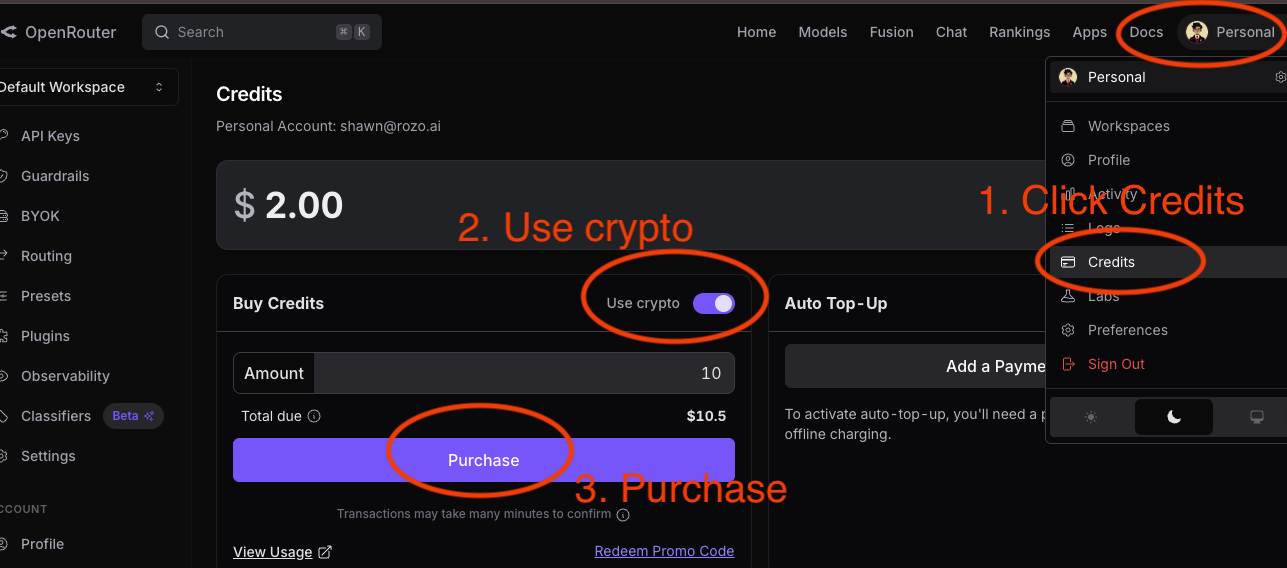
Open OpenRouter → avatar (top right) → Credits (direct link), click to top up.
2
In Buy Credits, turn on the “Use crypto” toggle.
3
Click Purchase and copy the payment link.
1
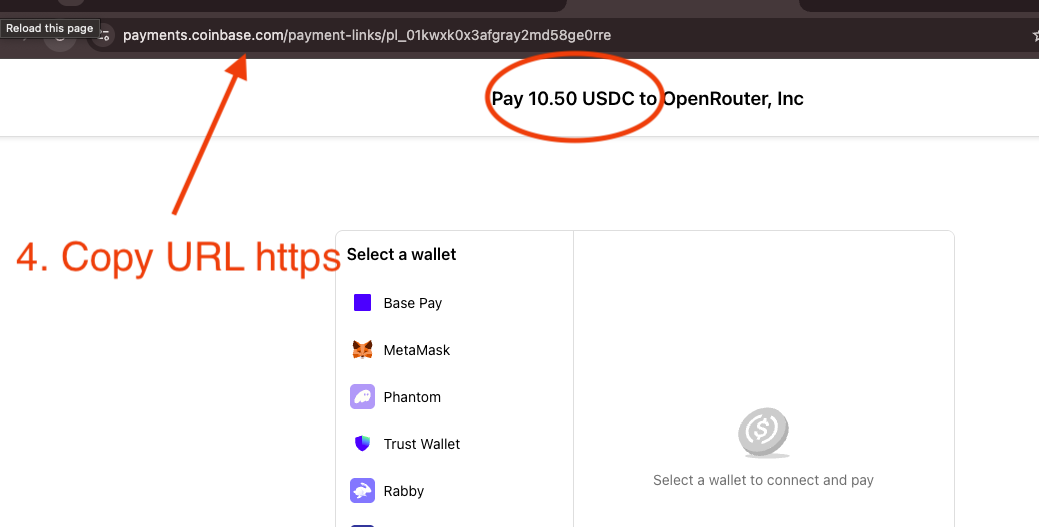
Copy the generated Coinbase payment link (payments.coinbase.com/…).
2
Come back here, paste it into the box above, click “Pay with USDT/USDC”.
3
Check the amount (e.g. Pay 10.50 USDC to OpenRouter) before you send.
Video guide
Services you can pay with ROZO
Pay for these AI services with the coins you already have. Pick one to start.
 Venice AIPrivate AIvenice.ai
 fal.aiGenerative media APIs: image, video, audio and 3D models.fal.ai
 Command CodeCoding agent for open modelscommandcode.ai
 PorkbunDomain registrarporkbun.com
 AlchemyWeb3 developer platform: RPC nodes, APIs and SDKs.alchemy.com
 QuickNodeBlockchain infrastructurequicknode.com
 LLM GatewayOpen-source LLM API gateway with prepaid credits for 200+ models.llmgateway.io
 AskSurfAI crypto researchasksurf.ai
 KoinlyCrypto tax trackerkoinly.io
 Compass MiningBitcoin mining hostingcompassmining.io
 InterServerUS web hosting, VPS and dedicated servers — from $3/mo.interserver.net